A PostgreSQL GUI for Data That Spans Many Tables
Most PostgreSQL tools show one table or one query result at a time. Ultorg shows related tables together: follow foreign keys, filter and sort at any level, and edit related records in a single, spreadsheet-like view.
Windows | MacOS | Linux · 14-day free trial, no credit card required
Joins Without Writing SQL
Ultorg reads your schema and recognizes foreign keys, so related tables are one click away. Joins can be chained or placed side by side, and one-to-many relationships are shown as nested tables, without losing or duplicating rows.
Each view is a real query that can be refreshed at any time. Most SELECT queries written in the core SQL language have a visual equivalent in Ultorg, including arbitrary combinations of joins, filters, calculations, and subqueries. When you need the SQL, Compile to SQL produces it for you.
A Spreadsheet-Like UI for the Whole Team
Teams that outgrow spreadsheets or Airtable often move their data to PostgreSQL, and then lose the friendly grid that everyone used every day. Ultorg connects directly to your database, with no sync and no copy of the data, and gives everyone a grid they can filter, sort, and edit.
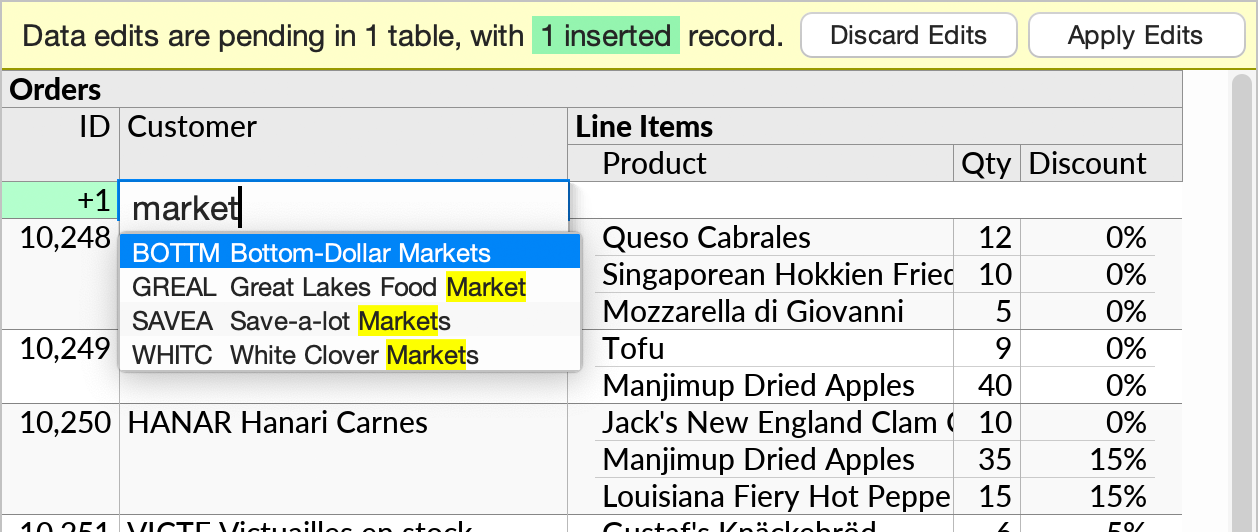
Foreign keys become dropdowns with search. Edits are staged for review, and applied in a single transaction. The permissions and constraints defined in PostgreSQL remain in effect.
See What Your Application, or Your AI Agent, Wrote
When an application, a data pipeline, or an AI coding agent writes to your database, you need a quick way to check what actually ended up there, across all the related tables. Build the view once, and refresh it whenever you need to look again.
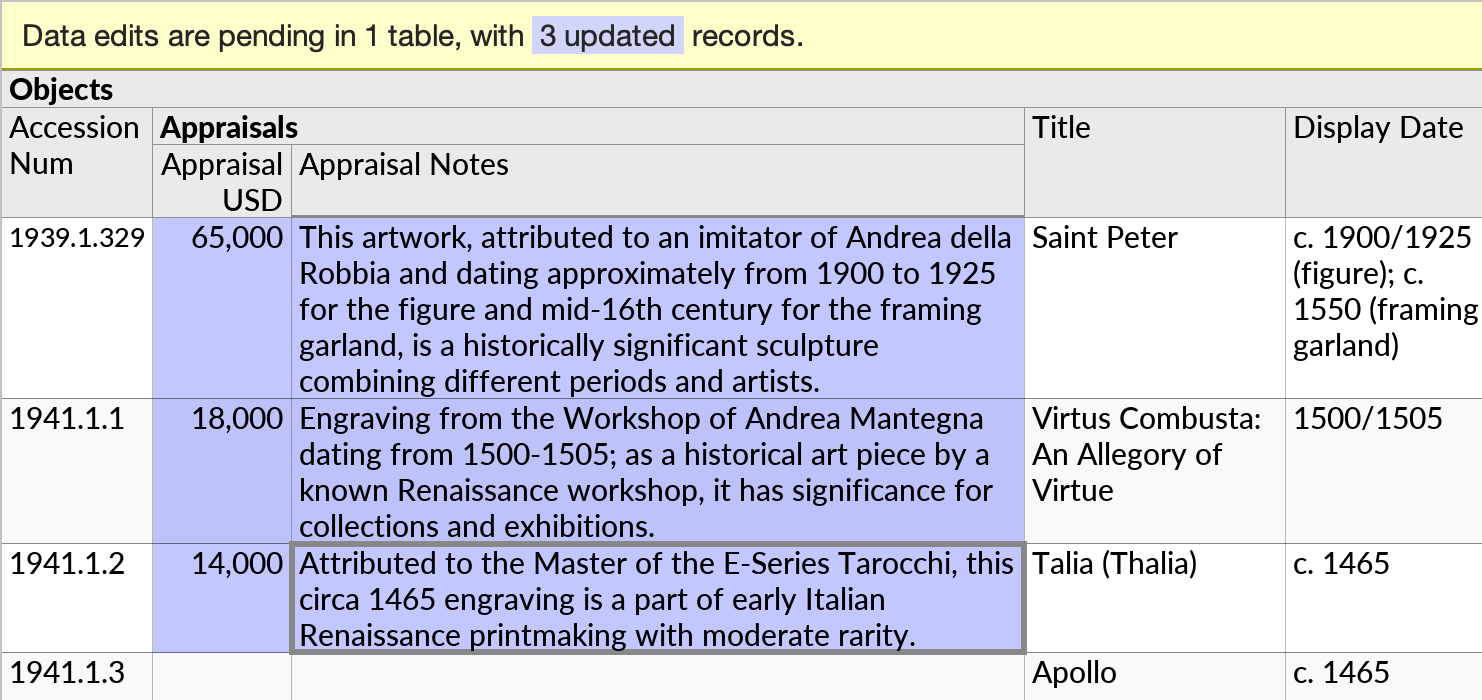
It also works the other way around. With Fill with AI, a large language model from Anthropic or OpenAI stages edits in your data, and you review every change before anything is written to the database.
Built for PostgreSQL
Ultorg's test suite runs regularly on multiple PostgreSQL versions, including 9.0, 13.3, 16.0, and 18.0. It supports SSL, SSH tunnels, Amazon RDS, and JSON fields. On Windows, Ultorg can log in using SSPI with your existing Windows credentials.
Ultorg is a desktop application for Windows, MacOS, and Linux. It connects directly from your computer to the database, with no web server to host and no cloud service in between. See PostgreSQL in the documentation for connection details, or how Ultorg compares with DBeaver, DataGrip, and pgAdmin.
Connect Ultorg to Your PostgreSQL Database
Start Ultorg and connect immediately to your database. No “cloud” required; all data stays private on your computer or corporate network.