A Microsoft Access Alternative, Without Building a New App
Keep your tables in Microsoft SQL Server or PostgreSQL, and give your team a spreadsheet-like interface to find, join, and edit records across tables. There are no forms to design and no VBA to maintain, and it runs on Windows, MacOS, and Linux.
Windows | MacOS | Linux · 14-day free trial, no credit card required
Access 2021 Reached End of Support on October 13, 2026
Microsoft's support for Access 2021 ended on October 13, 2026, along with the rest of Office 2021. It no longer receives security updates or bug fixes. Support for Access 2016 and 2019 ended in October 2025.
Access itself continues as part of Microsoft 365 and Office LTSC 2024, so upgrading is one option. But if your organization is already reconsidering its Access applications, this is a good time to look at the alternatives. Perhaps the original developer has moved on, the VBA code has become hard to change, several people need to edit the same data, or some of your users work on a Mac.
Queries and Forms, Generated for You
In Access, each new question about your data typically means a new query in the query designer, and each new way of entering data means a new form. In Ultorg, you join related tables visually, and the layout is generated automatically: nested tables for one-to-many relationships, forms for individual records, and crosstabs for summaries. Filters, sorting, and formulas can be applied at any level.
In a controlled user study, an early Ultorg prototype outperformed the query builder in Microsoft Access by 46 percentile points on the System Usability Scale. See the Microsoft Access page in the documentation for details.
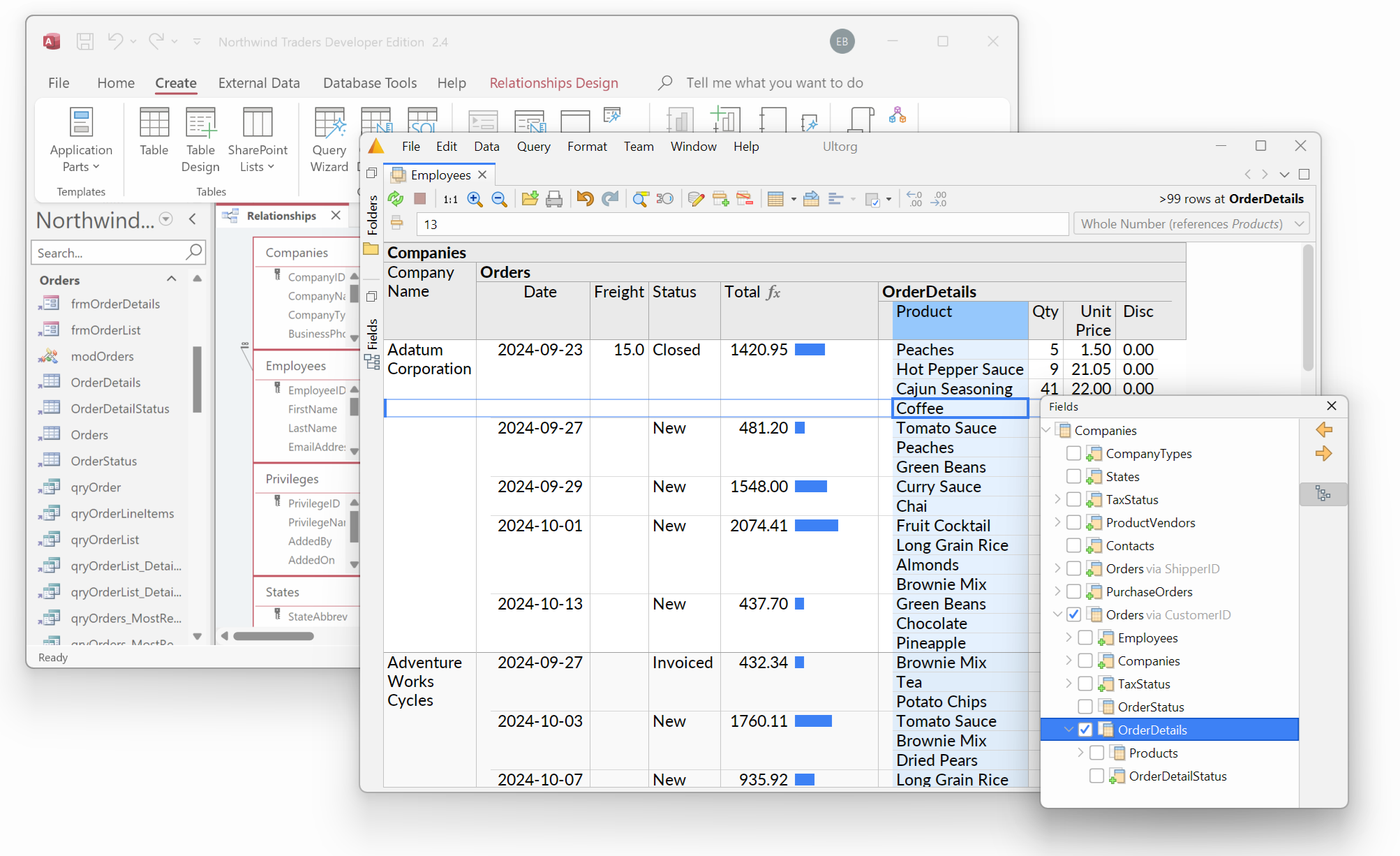
Your Tables, in a Real Database
Many Access applications already keep their tables in SQL Server, with Access serving as the front end through linked tables. Others keep everything in the .accdb file. Microsoft's free SQL Server Migration Assistant for Access can move tables and their relationships into SQL Server.
Once your tables are in a database server such as SQL Server or PostgreSQL, Ultorg connects to it directly, recognizes the relationships between tables, and suggests relevant joins. Several people can view and edit the same data at the same time.
Editing for the Whole Team
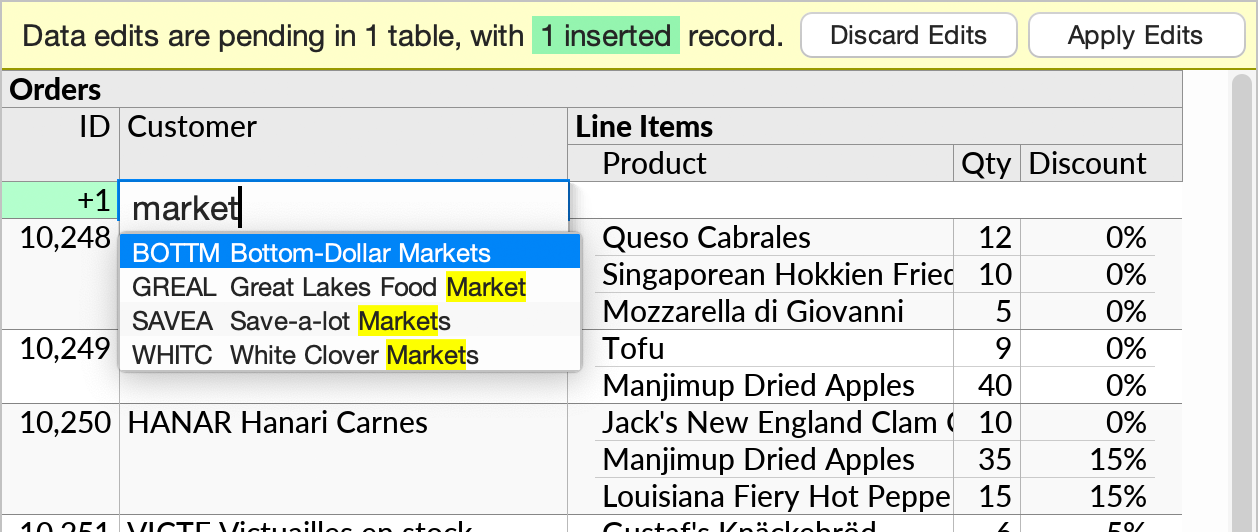
Edit values directly in the grid, pick related records from a dropdown, insert rows, and fill down, like in a spreadsheet. Edits can be made across joins and one-to-many relationships.
Changes are staged, so you can review them before they are written to the database. On relational databases, all changes are applied in a single transaction. The permissions and constraints defined in your database remain in effect.
Windows Logins, Macs, and Linux
On Windows, Ultorg can log in to SQL Server and PostgreSQL with the user's existing Windows credentials, which is common in Active Directory environments. The same workflows run on MacOS and Linux, where Access is not available.
Ultorg can also open .mdb and .accdb files directly, on any operating system, to explore and query the tables inside, for example before or after a migration. (Editing is supported for database servers, Excel files, and Google Sheets, but not for Access files.)
What Ultorg Does Not Do
Ultorg does not run or import Access forms, reports, macros, or VBA code. It is a general-purpose user interface for the data itself. If your application depends on business logic written in VBA, that logic needs a new home, such as constraints, triggers, or stored procedures in the database, or a separate program.
For the common work of finding, viewing, and updating records across related tables, however, Ultorg can take the place of custom forms and queries. If you are unsure whether it fits your case, book a demo and we can look at it together.
Try Ultorg on Your Access Data
Connect Ultorg to SQL Server, PostgreSQL, or an existing Access file. The 14-day trial includes all features, and all data stays on your computer or corporate network.