A SQL Server Front End for People Who Don't Write SQL
Ultorg gives operations, finance, and engineering staff a spreadsheet-like interface to your SQL Server database. They can look up records, follow relationships between tables, and make edits, without SQL and without a custom app.
Windows | MacOS | Linux · 14-day free trial, no credit card required
No Custom App to Build or Maintain
Internal tools for SQL Server data are often built one screen at a time, in Microsoft Access, Power Apps, or custom code, and every new question needs a new screen. Ultorg works with the database as it is. It reads the schema, recognizes foreign keys, and suggests relevant joins.
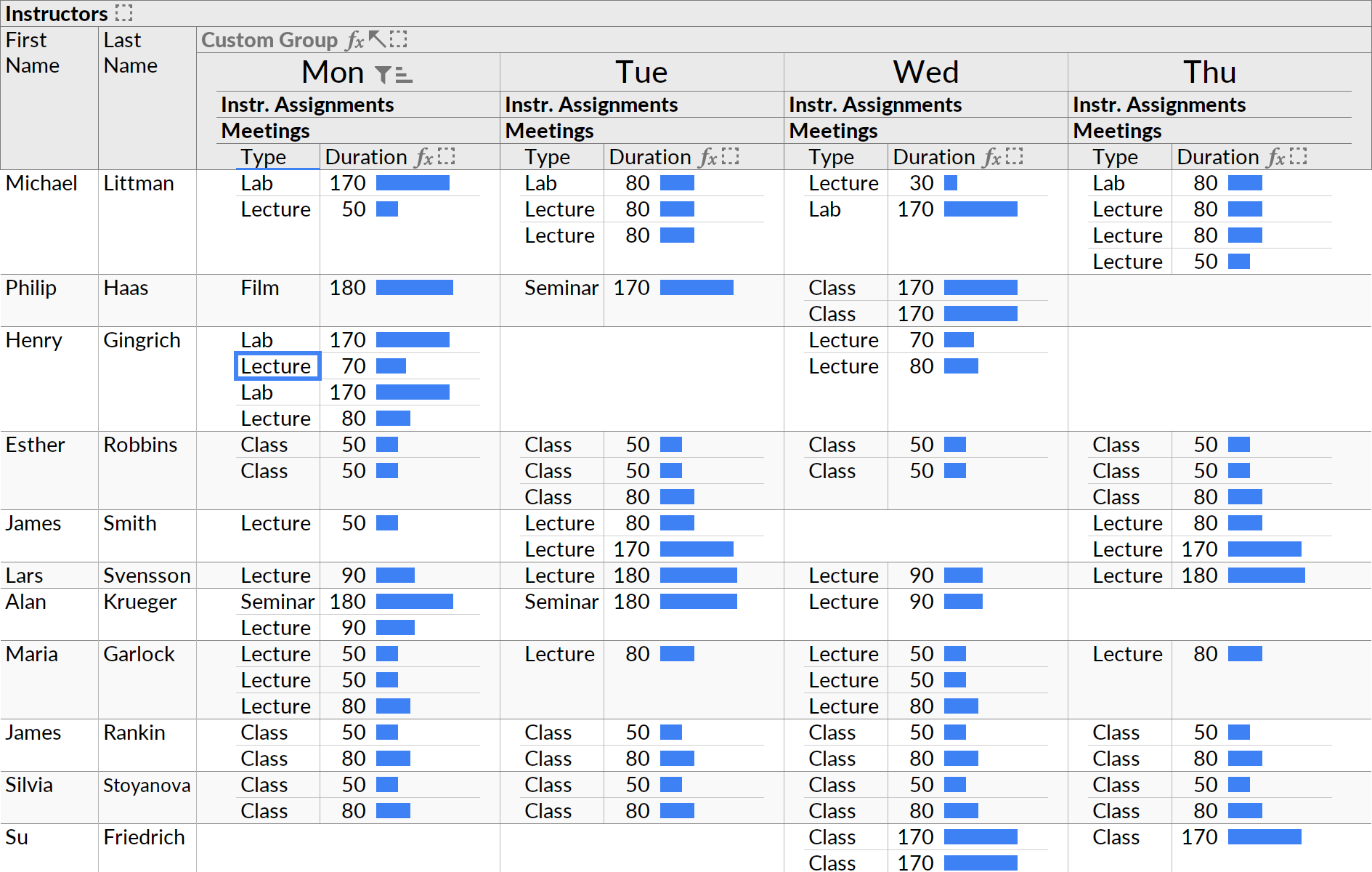
Users combine the tables they need into a single view, and Ultorg lays it out automatically, with nested tables for one-to-many relationships, forms, and crosstabs. Views can be saved as perspectives and shared with colleagues.
Safe Editing, in One Transaction
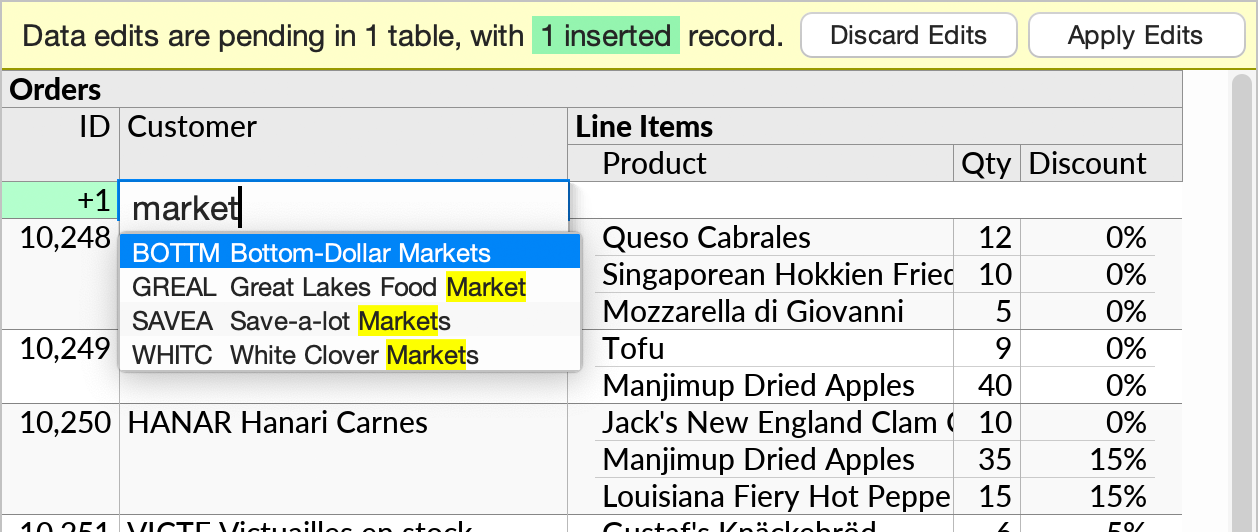
Edit values directly in the grid, pick related records from a dropdown, insert rows, and fill down, like in a spreadsheet. Edits can be made across joins and one-to-many relationships.
Typing does not change any data until the user enters the data editing mode. Changes are then staged for review, and applied to SQL Server in a single transaction. If the database rejects a change, the entire transaction is rolled back, and the user can correct the error and try again.
Log In With Windows
Ultorg supports integrated Windows authentication for SQL Server, which is common in Active Directory environments. Users log in as themselves, and the permissions you have already granted in SQL Server decide what each person can see and change.
Ultorg connects directly from each user's computer to the database. There is no web server to host and no cloud service in between. For restricted networks, Ultorg also supports offline license activation.
Answers Without SQL
Filters, sorting, grouping, and formulas can be applied at any level of a view. Aggregates show the individual values behind each total, so people can check the numbers themselves.
Results can be printed, exported to CSV, or copied into Excel. When a developer needs the same data elsewhere, Compile to SQL turns any view into a T-SQL query.
Compatibility
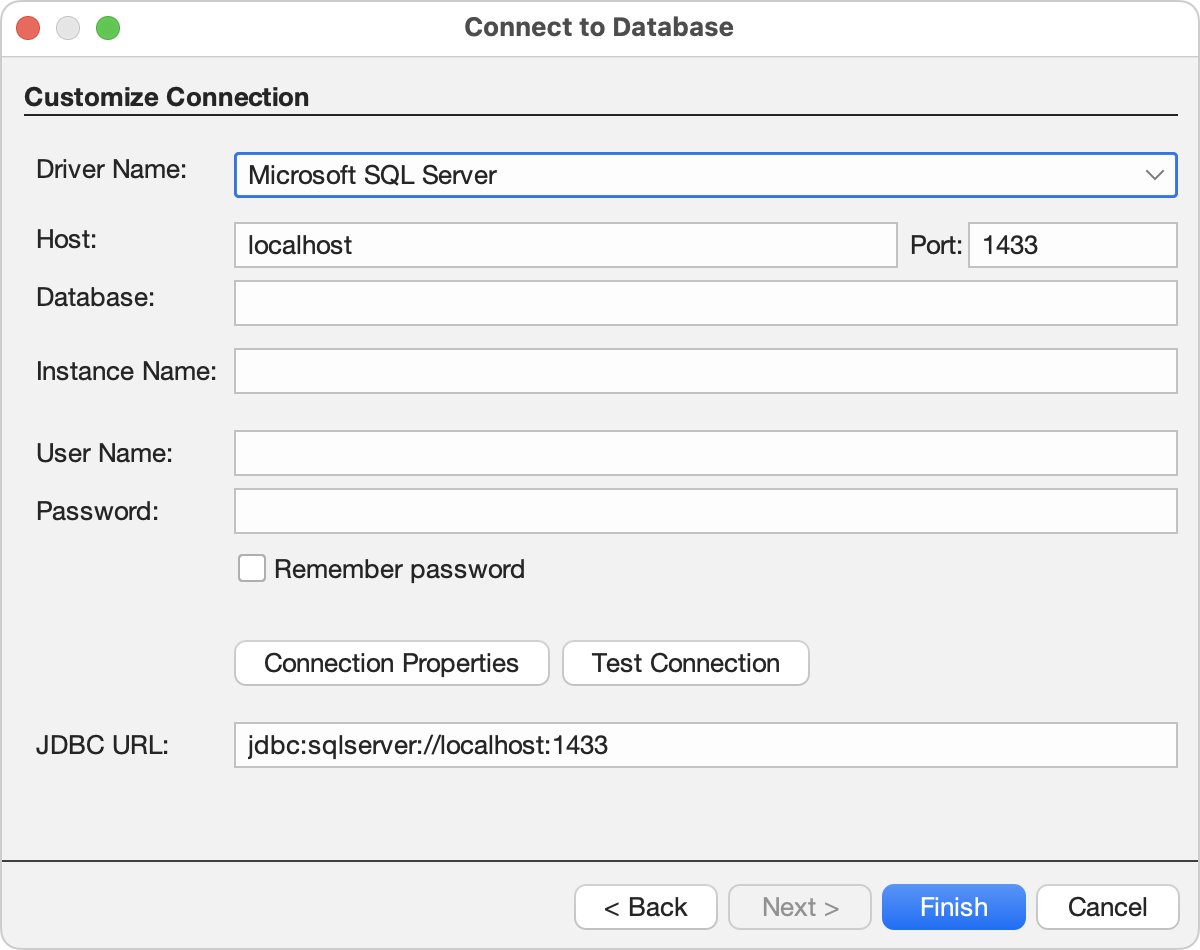
Ultorg has dedicated support for SQL Server and its Transact-SQL dialect. It has been tested with SQL Server 2022 for Linux, SQL Server 2017 for Windows, and SQL Server 2014 for Windows, and can also connect to SQL Server on Amazon RDS or through an SSH tunnel. See Microsoft SQL Server in the documentation for connection details.
If your team is moving away from a Microsoft Access front end, see Ultorg as a Microsoft Access alternative.
Connect Ultorg to Your SQL Server
Start Ultorg and connect immediately to your database. No “cloud” required; all data stays private on your computer or corporate network.